
Making Complex Workflow Logic Understandable, Scalable, and Safer to Configure
I led research and design for a branching workflow experience that helped BetterCloud move from rigid, linear automation to a more adaptable system. The challenge was not just adding conditional logic—it was helping IT admins understand, trust, and correctly configure increasingly complex automation without creating workflow sprawl, ambiguity, or operational risk.

Context
BetterCloud helps IT teams automate operational processes across applications and user lifecycle events. As workflows became more sophisticated, customers were trying to model real-world business logic inside a system that was still optimized for linear sequences. That gap created a strategic product question: how do we expand system capability without making the experience harder to understand, maintain, or trust?
The user problem
IT admins were forced to duplicate workflows across departments, org units, or conditions because one workflow could not flex to multiple real-world scenarios.
The product risk
Adding branching could solve flexibility, but if introduced poorly it would increase cognitive load, raise configuration errors, and make the system harder to learn and govern.

Problem
This was not just a missing feature. It was a systems problem with experience consequences. Customers were managing conditional business processes by duplicating workflows, which increased maintenance burden, introduced inconsistency, and made automation harder to audit. Competitors already supported branching, so the pressure was not only usability-related but also strategic for market relevance.
What was breaking
Conditional logic lived outside the workflow model, so users created multiple near-identical workflows to represent one underlying process.
What needed research
The real question was not “should we add branching?” It was “what structure, language, and interaction model will let admins use branching correctly without losing confidence or control?”

Research and design process
I approached this as a framing and validation problem. The work moved from understanding where workflow logic was breaking down, to exploring alternative system models, to testing whether users could actually reason about branching structure with confidence.
Frame the problem
Mapped where duplicated workflows were causing operational friction and identified branching as a structural, not purely visual, opportunity.
Create shared alignment
Ran sprint activities to align stakeholders on use cases, risks, and the minimum viable mental model for branching.
Prototype system concepts
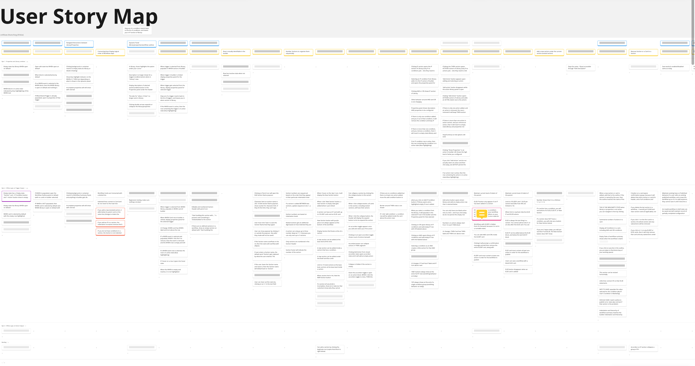
Explored how sections, conditions, actions, and summaries should relate so the logic stayed understandable as workflows scaled.
Validate and refine
Tested comprehension, editability, and confidence, then simplified terminology and hierarchy where users hesitated or misinterpreted the model.


Validation
The main validation question was whether users could form a correct mental model of branching logic quickly enough to configure it safely. I focused testing on comprehension, hierarchy recognition, predictability of editing behavior, and confidence before publish.


What I was measuring
Could users understand where logic lived, predict what would happen next, and distinguish structure from action without relying on visual decoration?
What changed because of testing
Testing showed that color was over-signaling meaning, terminology was too abstract, and users needed stronger summary/review patterns before publish.
Key product and UX decisions
The most important decisions were not aesthetic. They were about choosing a system model users could understand and extending capability without increasing fragility.
Reframed “logic blocks” as “sections”
“Sections” gave users a broader, more scalable mental model. They could contain conditions and actions without implying overly technical logic syntax.
Reduced visual decoration
Color made users assume meaning where none existed. Hierarchy, grouping, and summaries created clearer structure with lower cognitive noise.


Final experience
The final concept balanced flexibility with readability. Users could build conditional logic inside one workflow, configure details without losing context, and review structure in summary form before publishing. The experience was designed to support both construction and sensemaking.


Why this matters strategically
This project shows how I work on ambiguous systems problems: I identify where the current product model breaks down, align stakeholders around a more scalable framing, and translate that framing into concepts users can understand and teams can build against.
Research contribution
I clarified what users actually needed from branching beyond feature parity: legibility, confidence, recoverability, and maintainability inside a growing workflow system.
Product contribution
I helped define a more future-ready workflow model, not just a one-off interface pattern. That matters because the product needed a scalable direction for complexity, not merely a visual patch.
Outcome and strategic value
This work helped define how BetterCloud could evolve workflows from linear automation into a more flexible system without sacrificing usability. The value was not only in the feature itself, but in creating a clearer product direction for how complexity should scale.
What this unlocked
Branching gave customers a more scalable way to represent real-world business rules inside one workflow, reducing duplication and creating a stronger foundation for future workflow intelligence.
Next steps
- Instrument the model: measure branch usage, workflow consolidation, publish success, and edit failures.
- Support debugging: add test-run previews and clearer visibility into what path will execute under each condition.
- Scale comprehension: introduce collapse/expand, structural search, and stronger overview navigation for large workflows.
- Plan migration: create guided migration patterns for customers converting duplicated legacy workflows into one branching workflow.