
OneButton PIN
OneButton PIN started from a broader question than “how do we improve a keypad?” The real question was: what interaction model makes authentication more accessible for blind and low-vision users while also reducing observational risk?
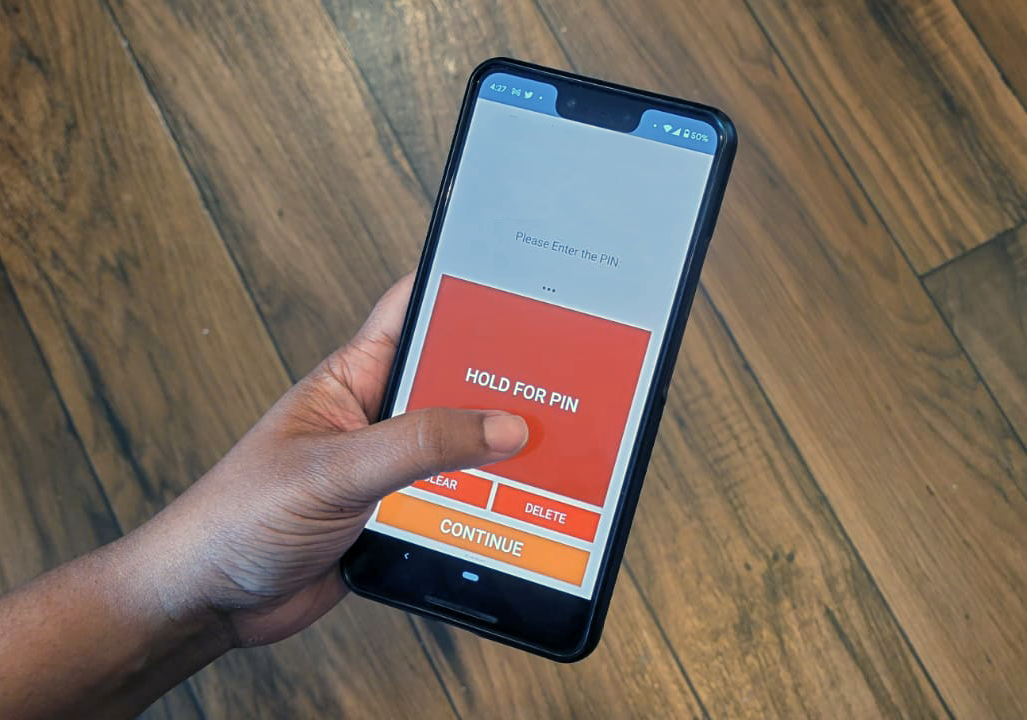
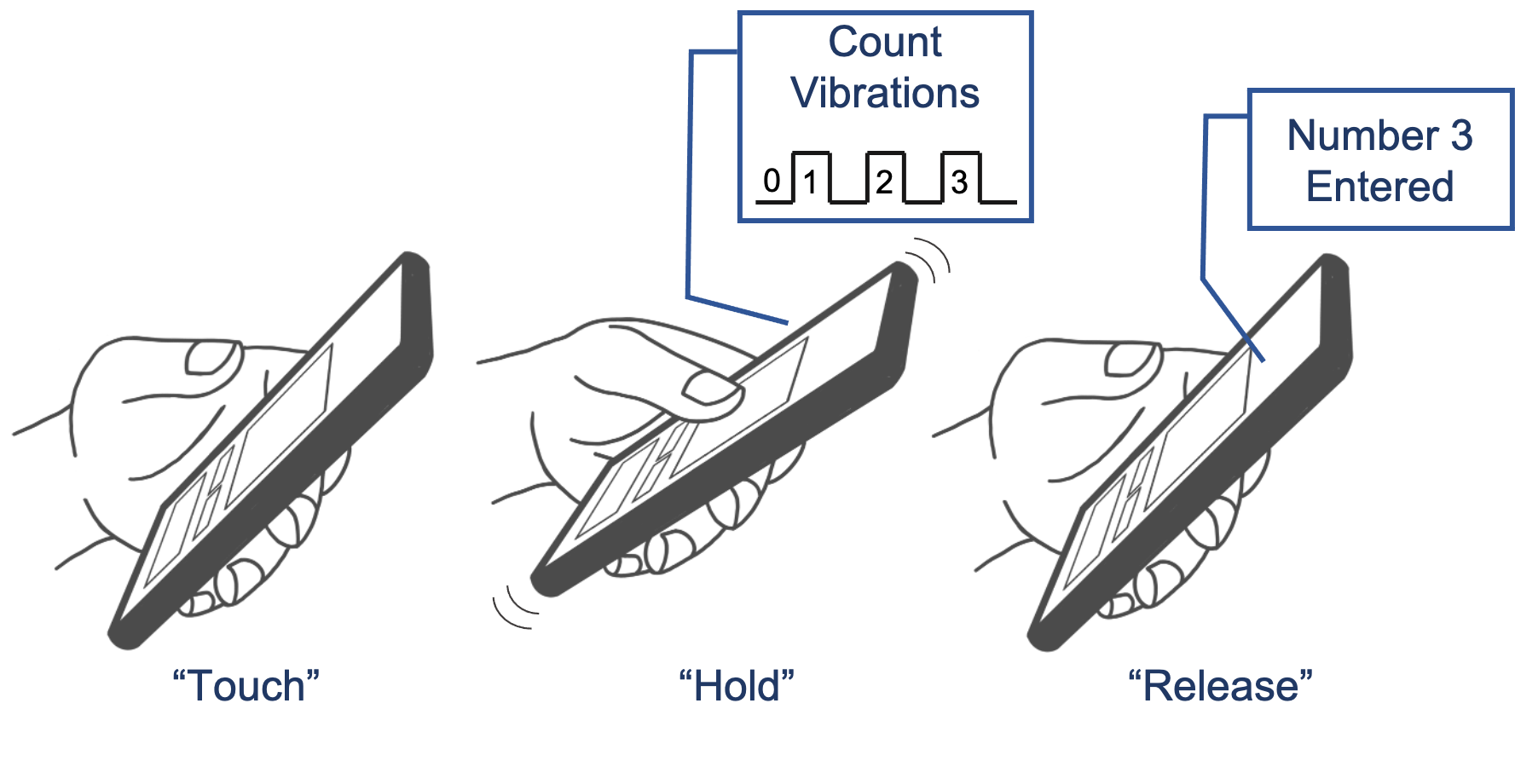
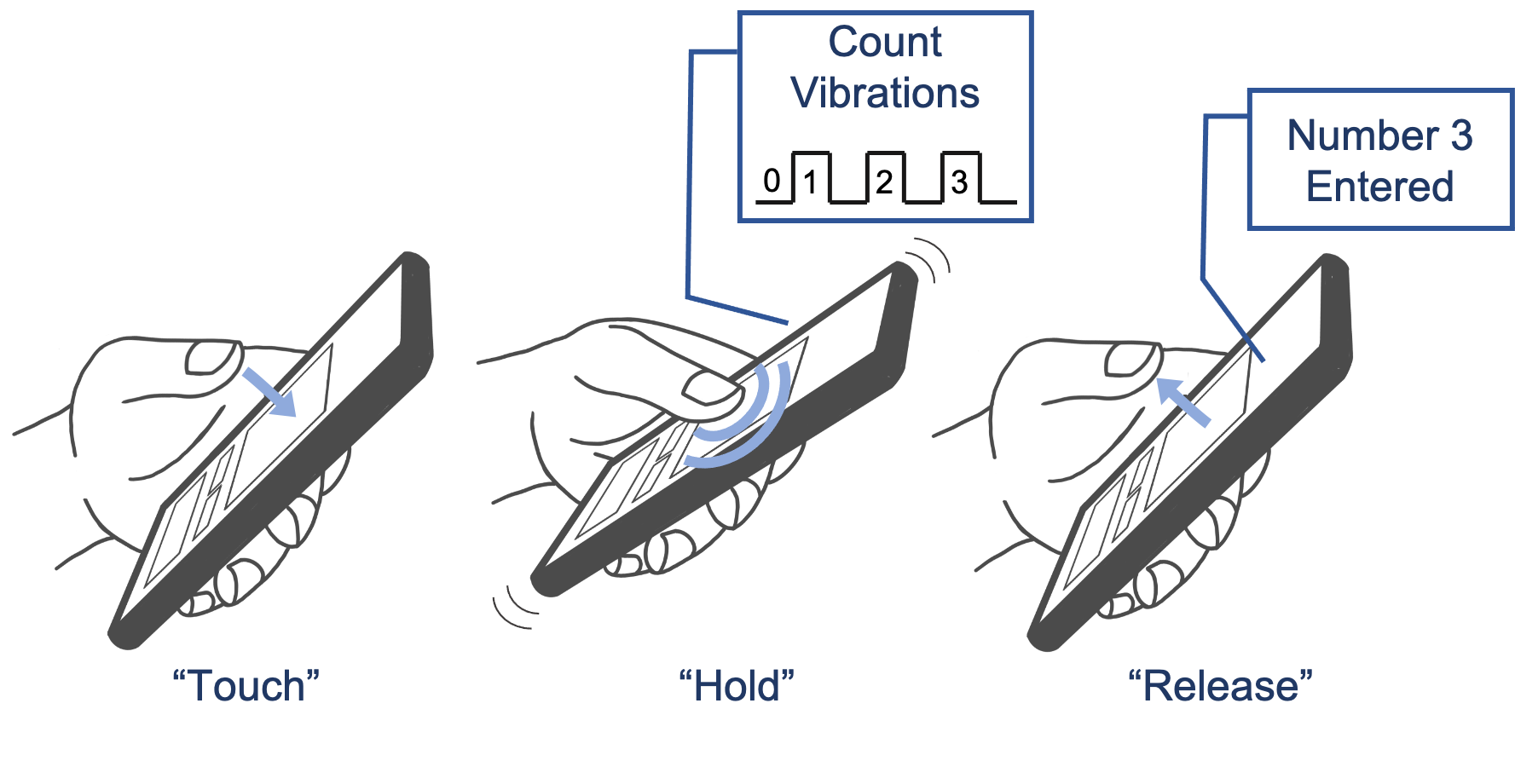
Instead of asking users to locate and tap digits on a visual keypad, this concept replaces spatial selection with a single haptic interaction target. Users press, feel pulses, count, and release. That shift reduces motor complexity, creates a more privacy-aware interaction, and opens a different security posture than the traditional keypad.
The work was recognized with the Best Paper Award at MobileHCI 2022, which matters here not just as recognition, but as evidence that the concept and the research design held up to serious scrutiny.
The problem
Traditional PIN entry assumes visual targeting, stable spatial orientation, and low observational risk. Those assumptions break down quickly for blind and low-vision users. Small tap targets are harder to use, audio feedback can leak sensitive information, and finger movement across a keypad creates visible patterns that bystanders can exploit.
The strategic reframe
Rather than polishing the keypad, I widened the problem space. The design challenge became: how do we reduce motor friction, preserve privacy, and change the attacker’s job at the same time? That reframe made a radically different interaction model possible.
Interactive simulator
This simplified simulator helps explain the interaction model. Press and hold the button, feel or see pulses, count them, then release to enter a digit. It is not the study prototype, but it makes the core mechanic tangible.
Experimental controls
Concept and interaction model
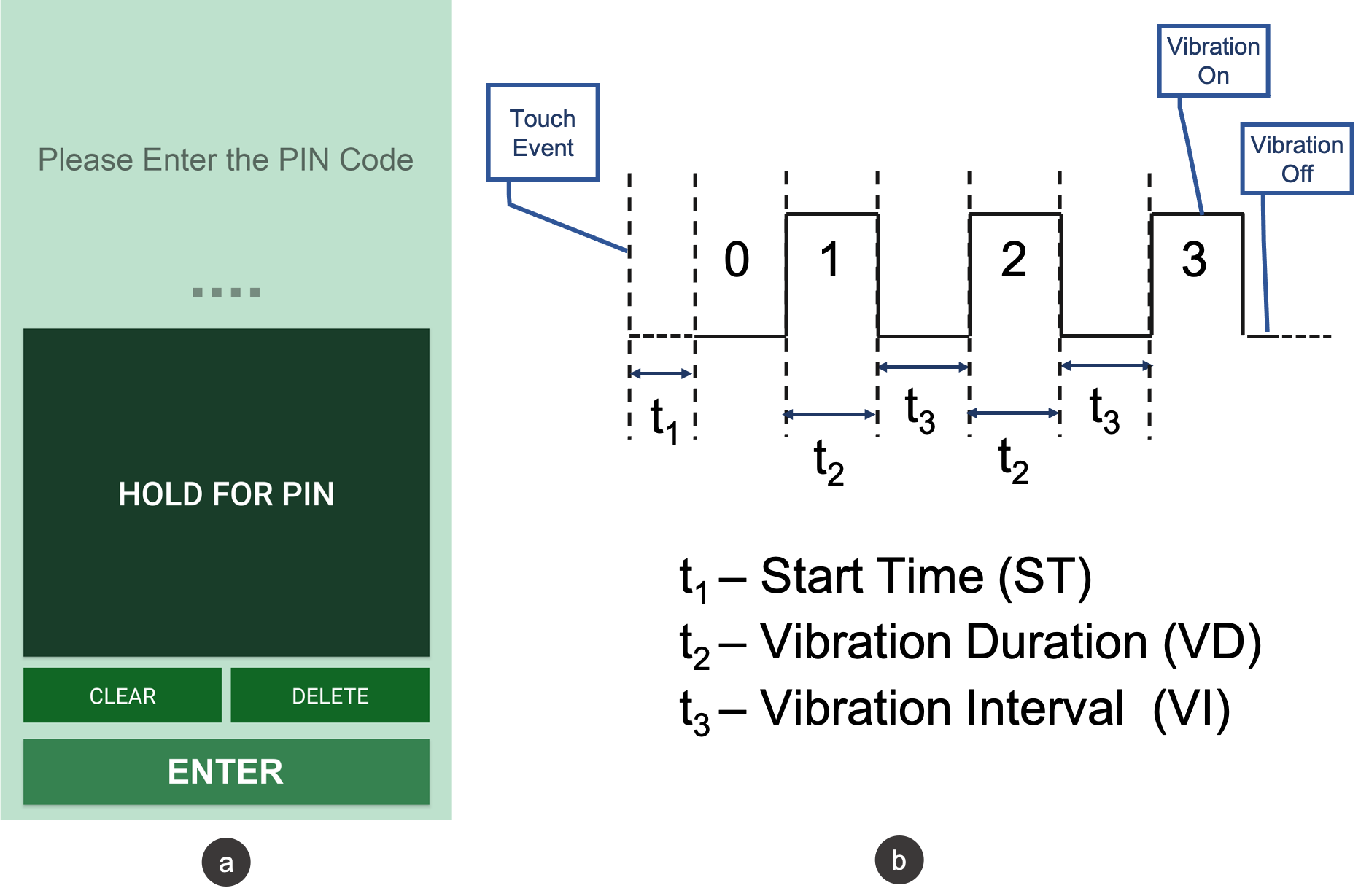
OneButton PIN replaces spatial digit selection with a single large interaction target. A user presses and holds, feels haptic pulses, counts them, and releases to enter a number. The design intentionally treats timing as part of the interaction and part of the security strategy.
- Removes the need to locate digits on a keypad.
- Converts authentication into a count-and-release model.
- Reduces dependence on precise motor targeting.
- Reduces visible movement patterns observers typically rely on.
- Allows timing variability to make inference harder.
- Changes the attack surface instead of only adding UI friction.
Study structure
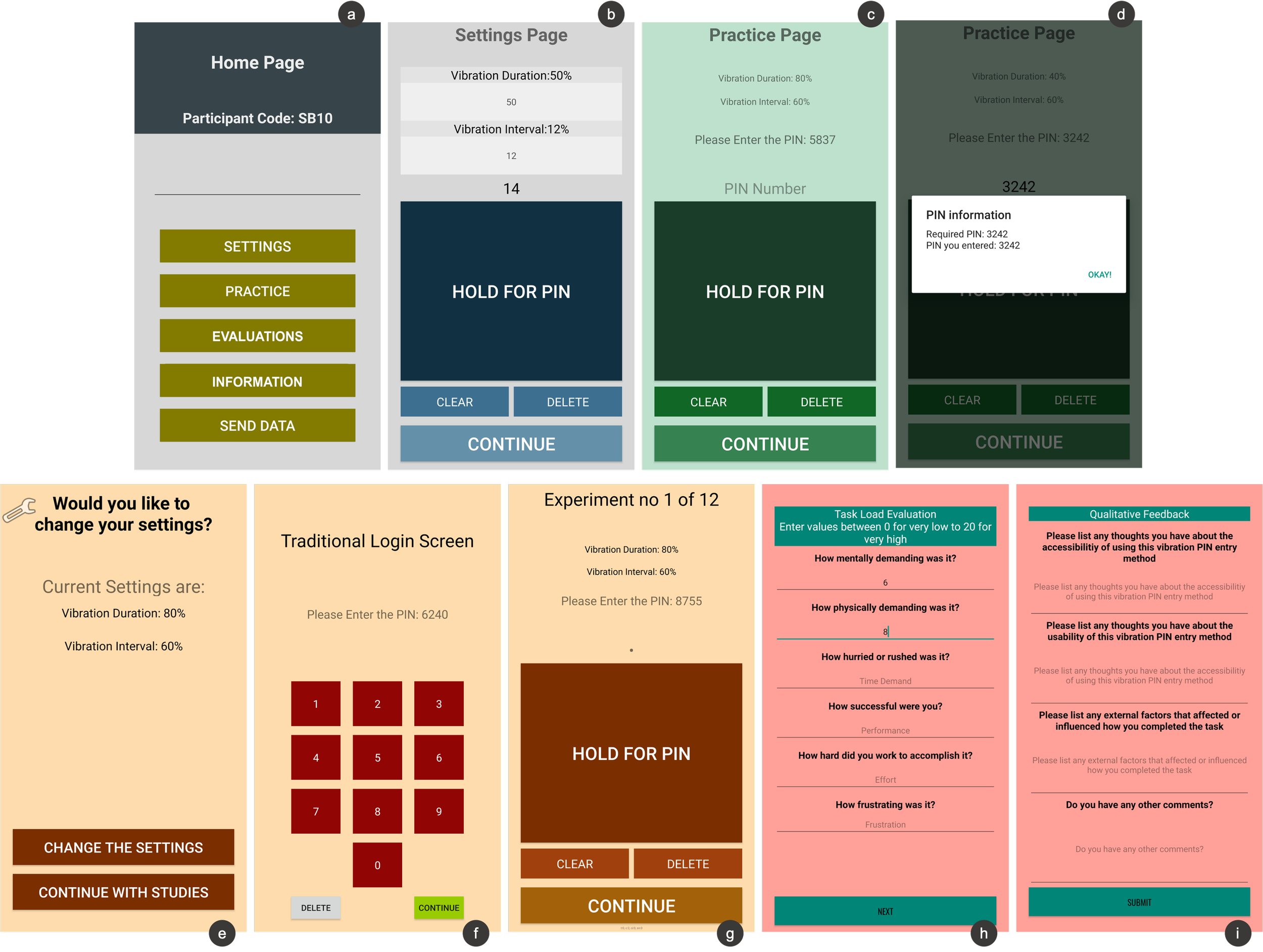
The evaluation was designed to answer a practical product question: is this concept learnable enough, usable enough, and secure enough to justify further investment? That meant using multiple studies instead of relying on a single positive signal.
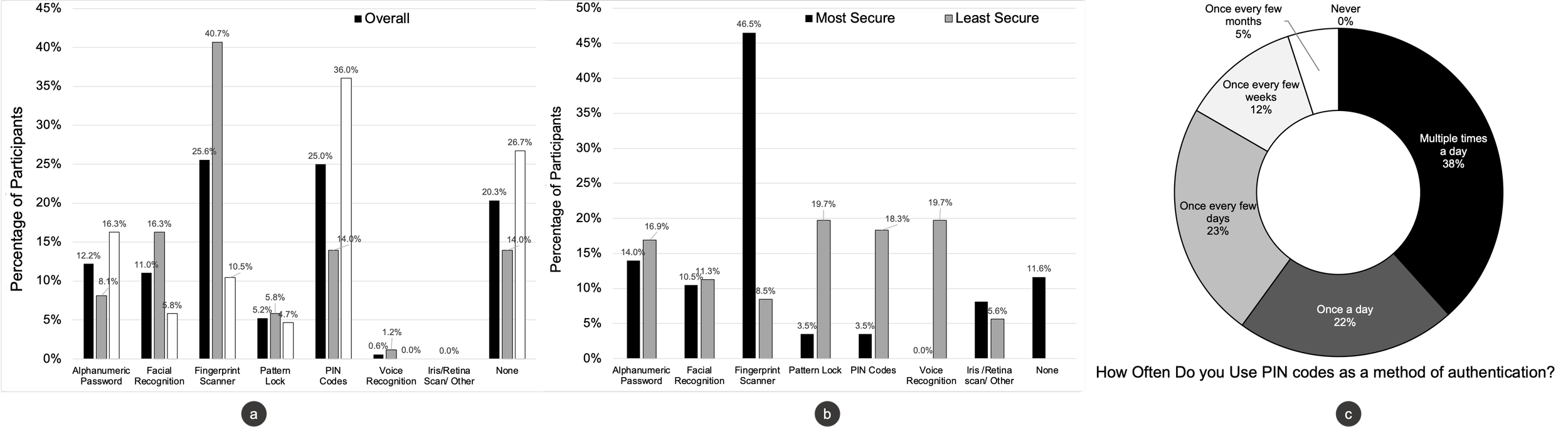
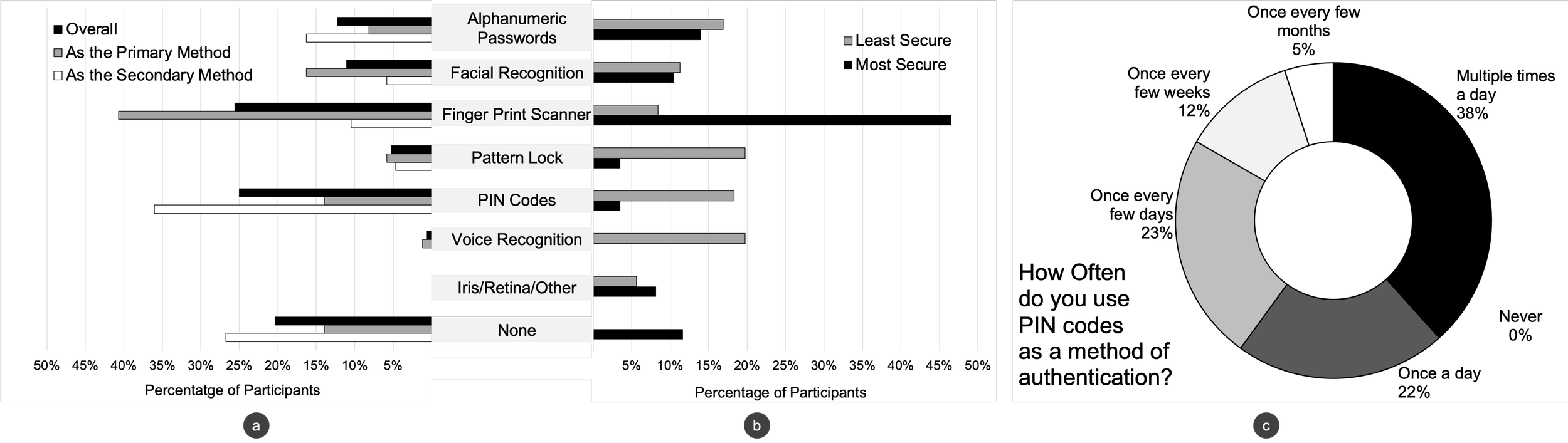
- Mapped current authentication habits and pain points.
- Captured privacy concerns in public and semi-public environments.
- Grounded the concept in real accessibility needs before prototyping.
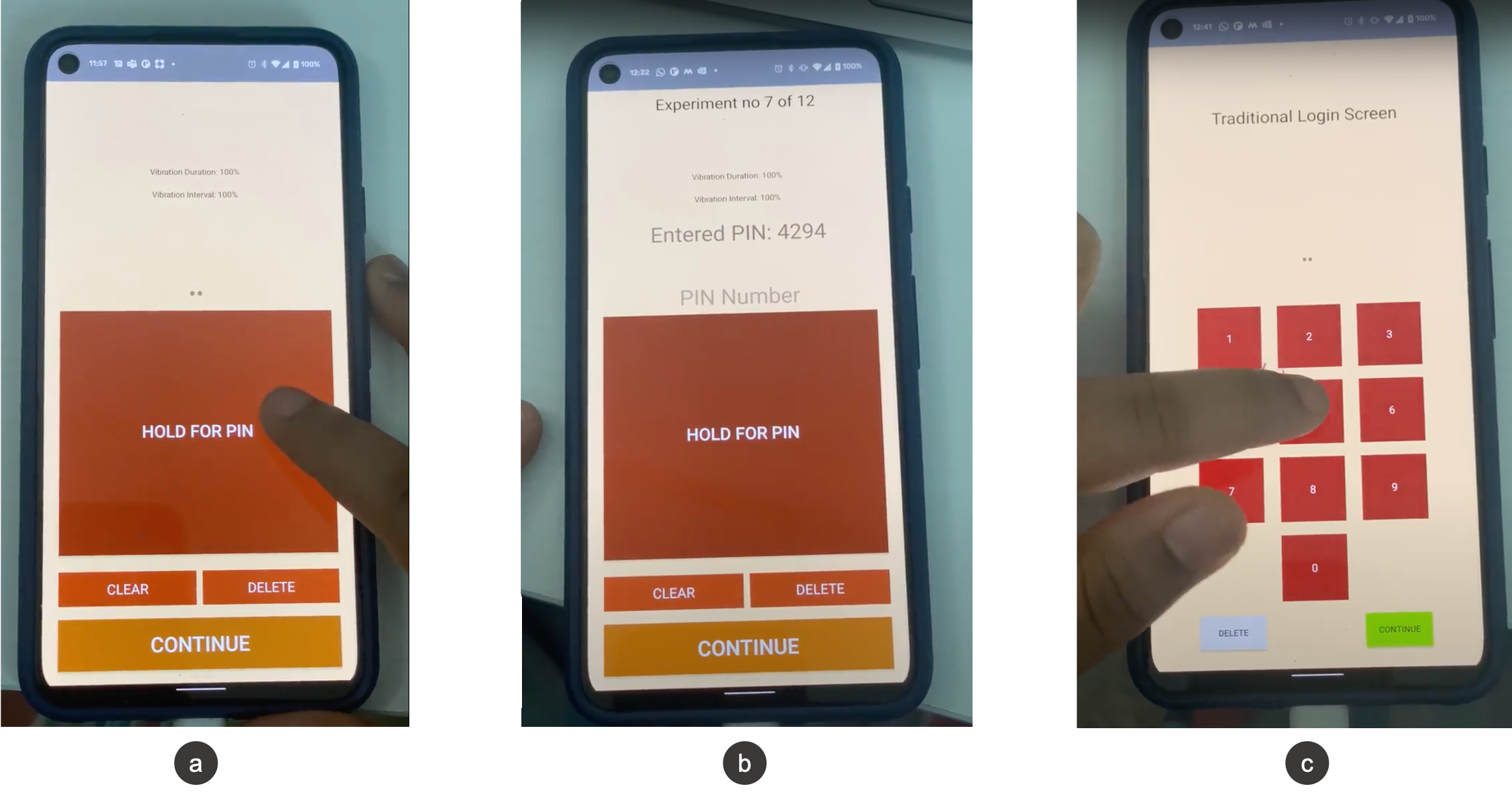
- Tracked learnability and repeated use over a full week.
- Compared multiple timing conditions, not just one ideal state.
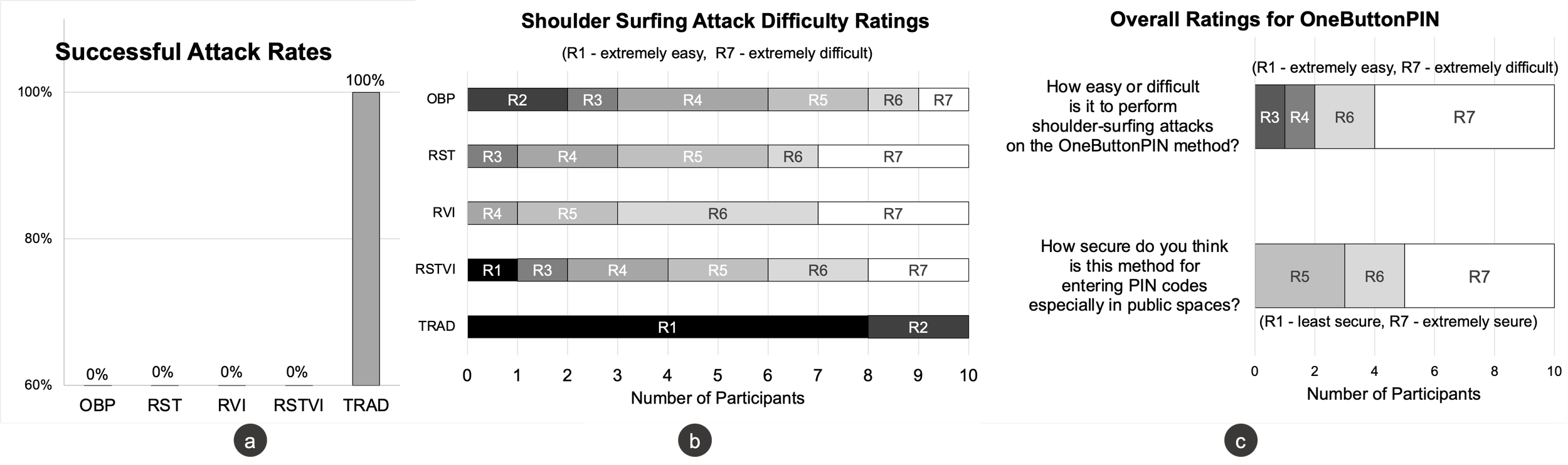
- Evaluated whether observers could infer entered digits.
What the results show
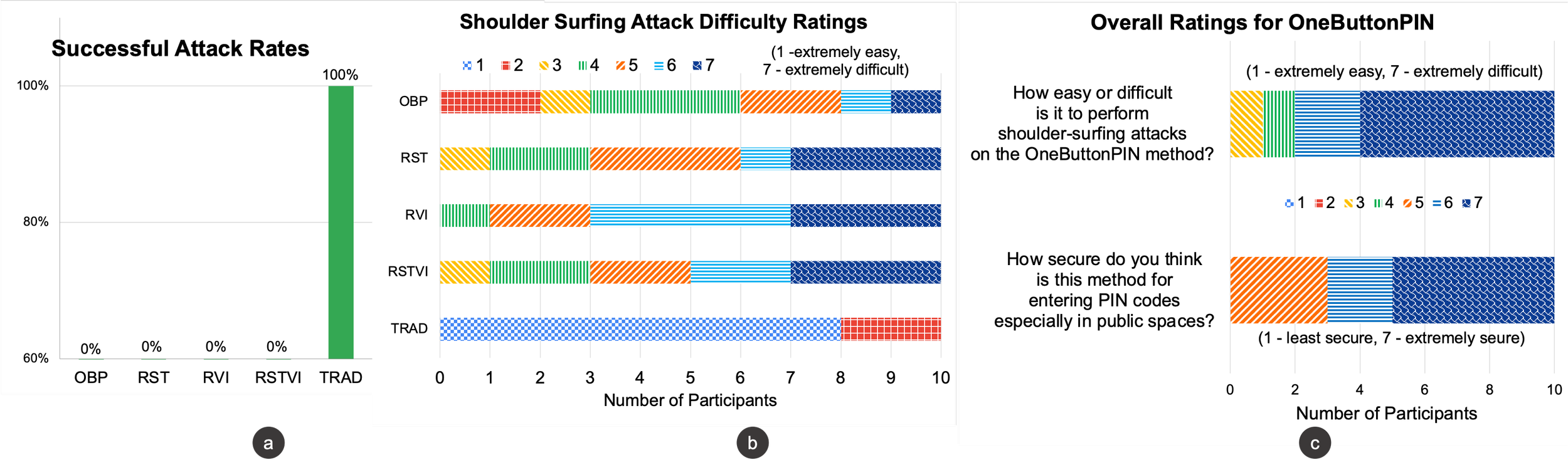
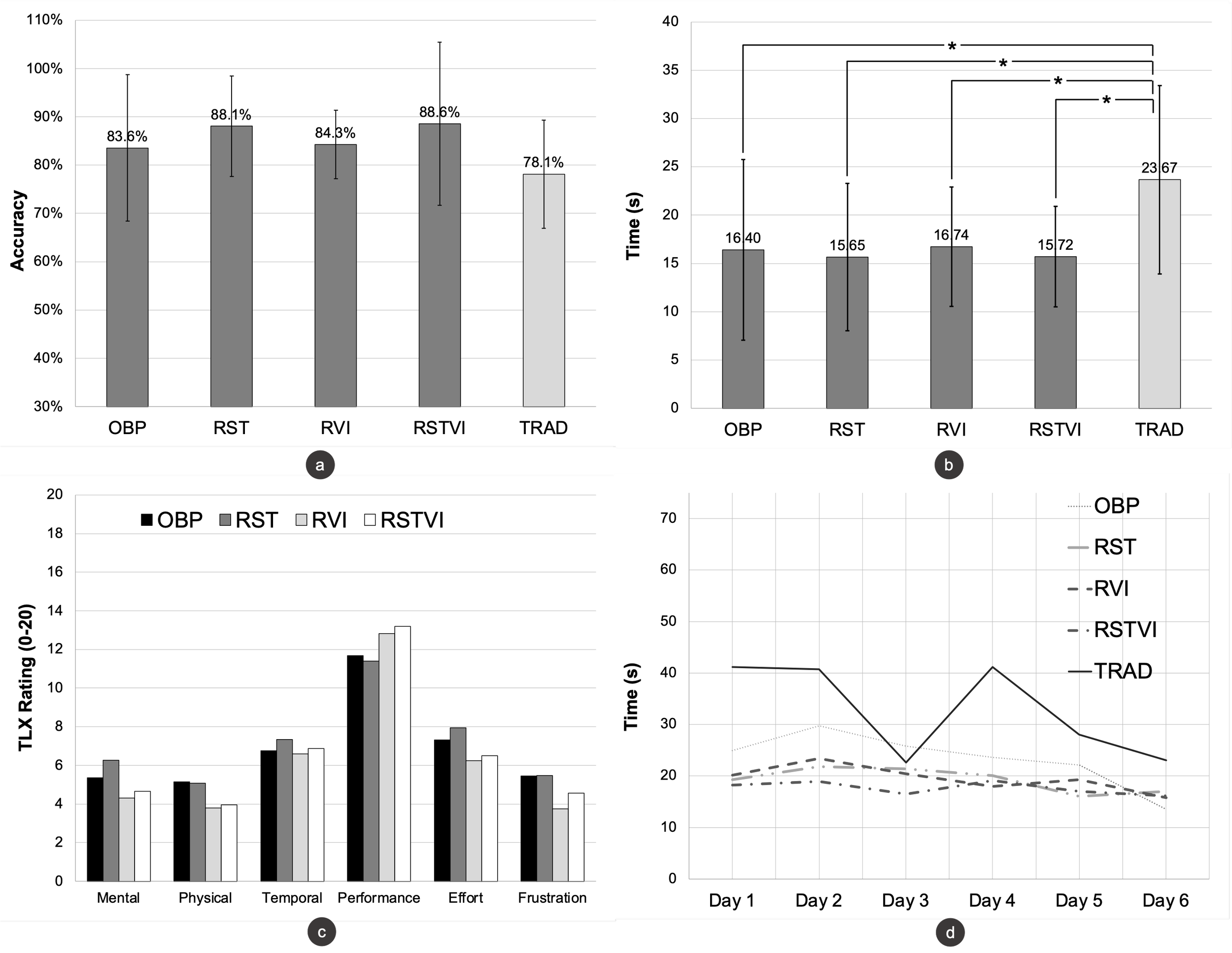
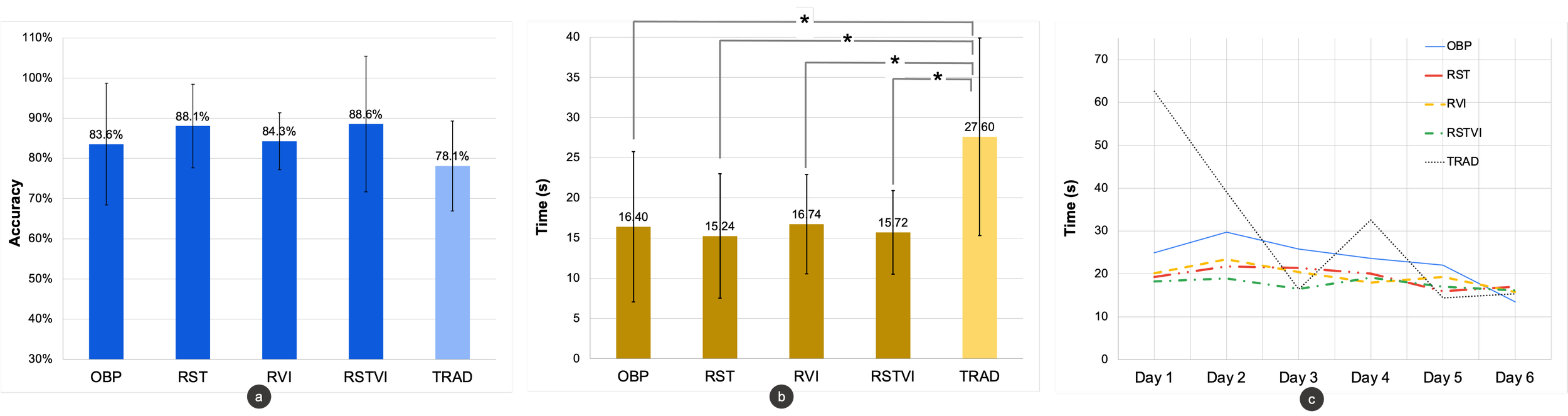
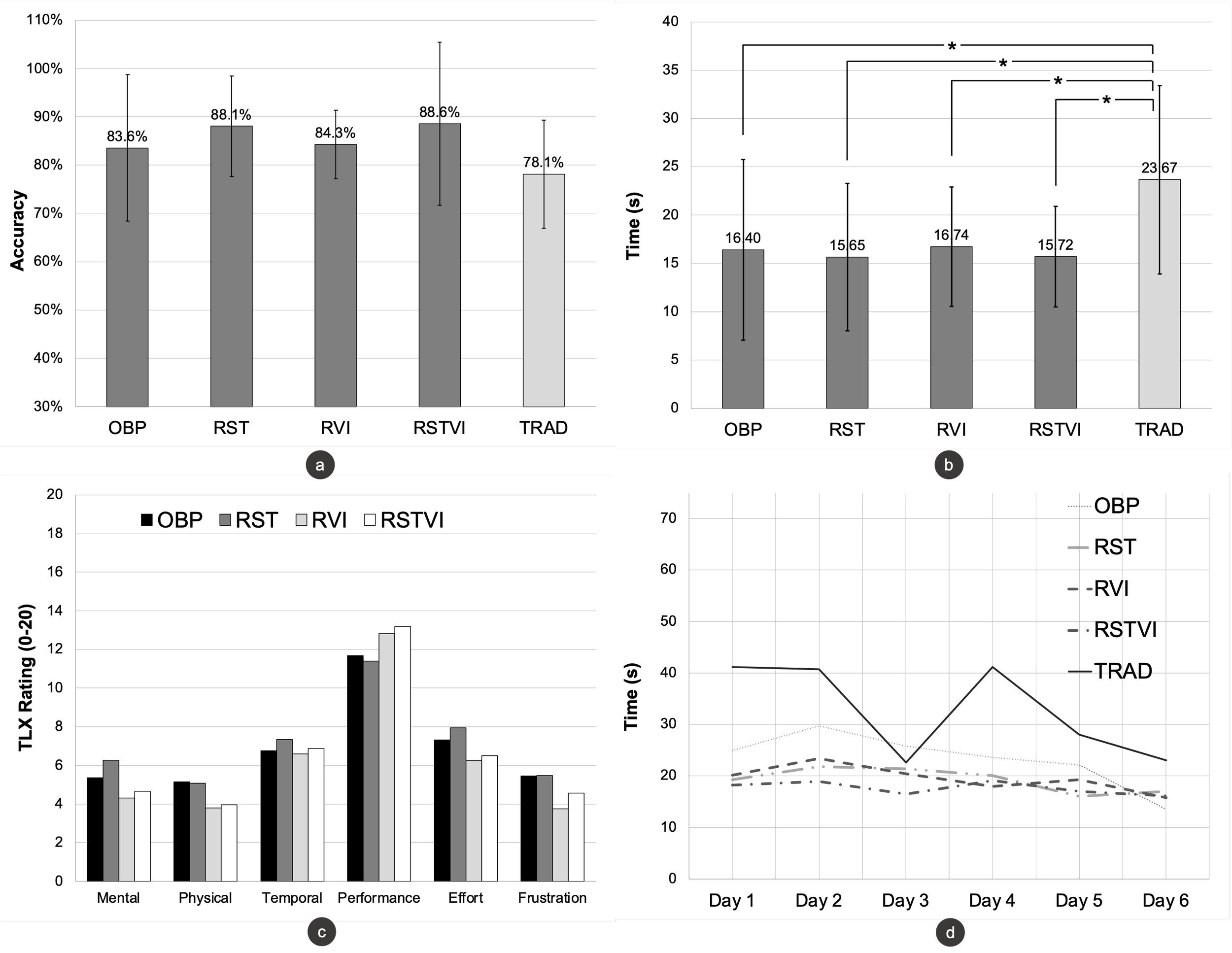
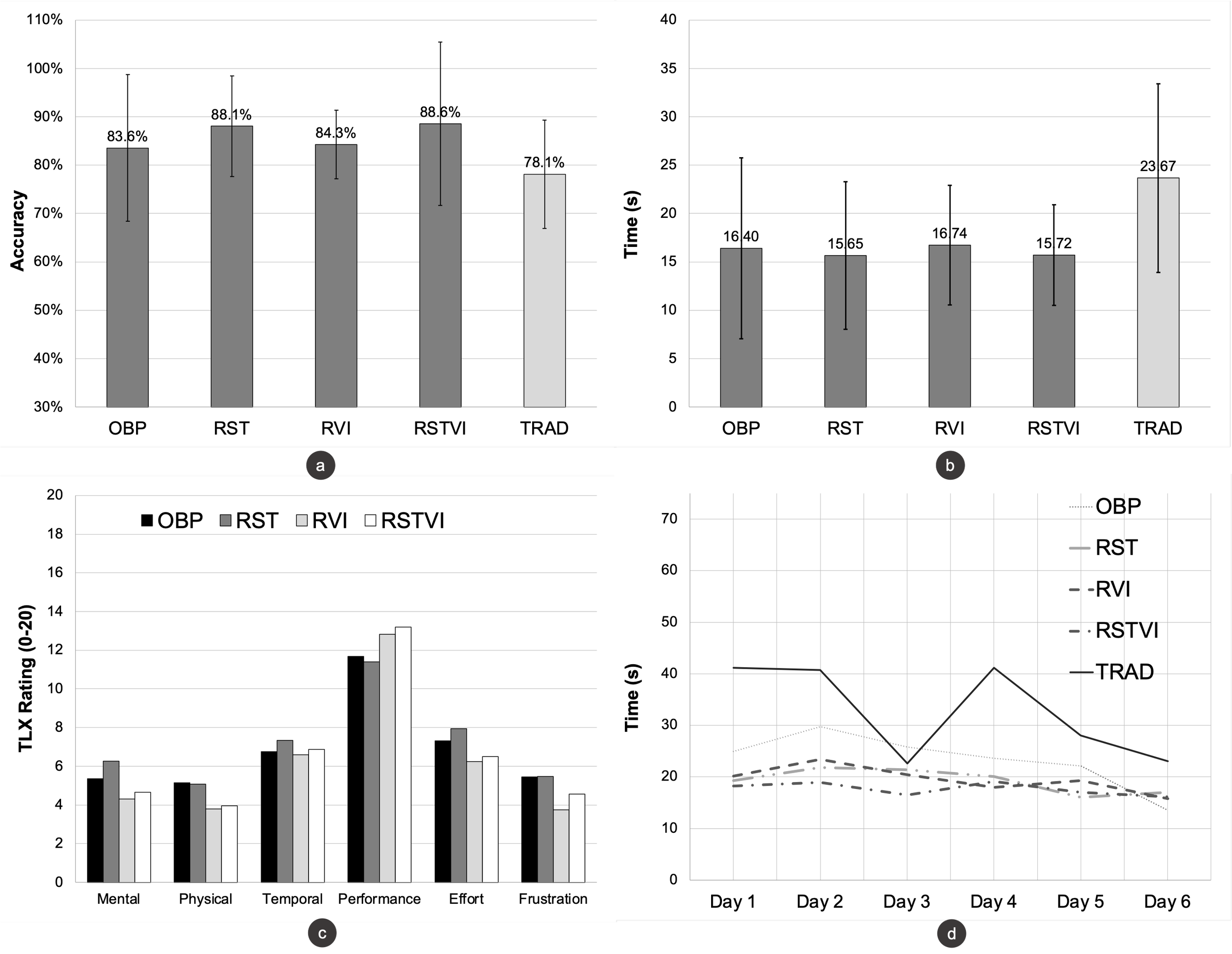
The results tell a nuanced story. OneButton PIN is compelling not because every metric is universally better, but because it demonstrates a viable alternative interaction model with real accessibility promise and meaningful security implications.
- Participants could learn and use the concept over time.
- The interaction reduced reliance on precise visual targeting.
- The security evaluation showed promise against shoulder surfing.
- The concept clarifies where accessibility and privacy align.
- Timing is a meaningful design lever, not incidental polish.
- The output is a direction to refine, not just a one-off prototype.
Why this project stands out
What makes this project notable is not just the award. It is the combination of problem reframing, system-level thinking, and evidence-based decision support. The outcome is not simply a prototype. It is a strategic argument for a different product direction, supported by research.
- The project questions the default keypad assumption itself.
- It broadens the problem from UI friction to accessibility, privacy, and attack resistance.
- It finds leverage in the interaction model, not just the interface layer.
- Uses survey, diary study, and security testing together.
- Surfaces tradeoffs instead of forcing a simplistic conclusion.
- Produces a direction teams could refine and ship responsibly.